Frequently Asked Question
Change Course Name In Parent Square
Last Updated about a month ago
If you would like to change the name of your sections in Parent Square please follow the instructions below.
How to change section names:
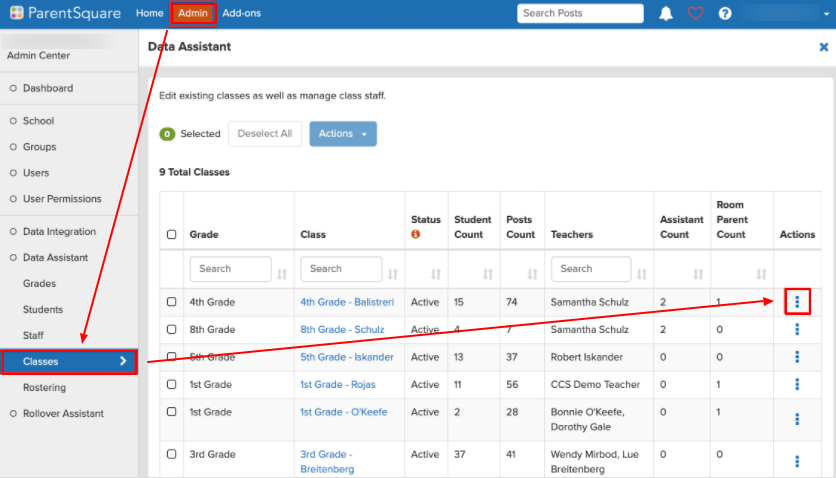
- Click "Admin" at the top
- Click "Classes" from the left sidebar
- Click the three dots under "Actions"
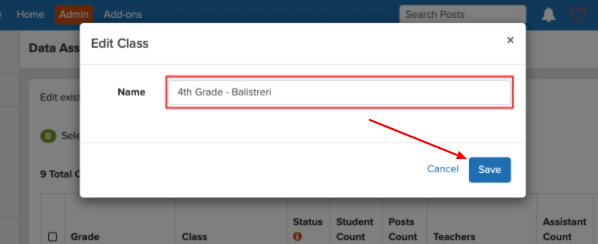
- Click on the class name and edit the name
- Click Save